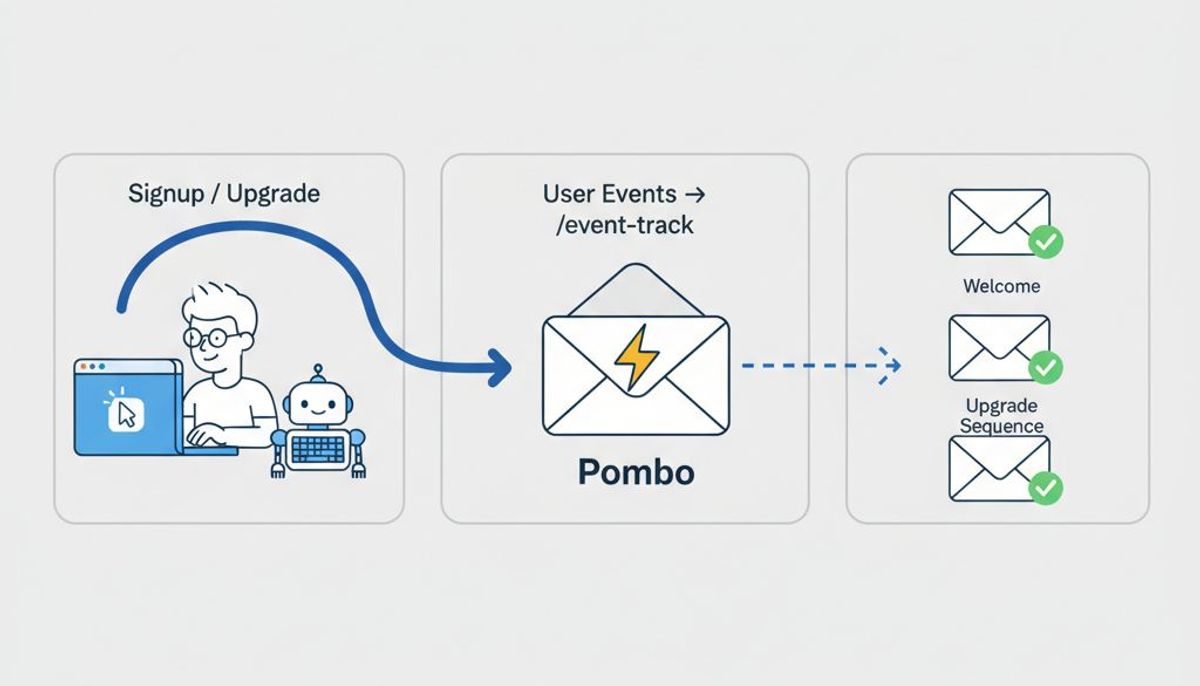
If you use an AI coding agent every day, you have probably wondered why it can edit your codebase, open pull requests, and run your test suite, but still cannot send the welcome email you just finished writing. The gap is not the model. It is that most email tools only expose a dashboard and a REST API, and an agent working in a chat window has neither open.
Pombo closes that gap with an MCP server. Once it is connected, an agent can do the things you would otherwise click through: draft a campaign, build a sequence, import contacts, check what last week's send did, and queue a transactional template. This post covers what that actually unlocks, how to set it up in a couple of minutes, and where the boundaries are.
What MCP is, briefly
The Model Context Protocol is a small open standard for connecting an AI client to external tools. The client (Claude Desktop, Claude Code, Cursor, VS Code, and a growing list of others) speaks to an MCP server over HTTP, and the server advertises a set of tools the model can call. From the model's point of view a tool is just a typed function with a description. From your point of view it is whatever the server decides to expose.
Pombo's server exposes the platform. Not a thin slice of it: contacts, segments, templates, campaigns, sequences, analytics, transactional sends, and account migration are all reachable as tools.
What an agent can do once it is connected
The tools are grouped into two scopes. mcp:read covers everything that only inspects: how many contacts you have, what a segment resolves to, how a campaign performed, what a template renders to. mcp:write covers everything that creates or changes: drafting a campaign, editing a sequence, adding a custom field, uploading contacts.
A few things that are genuinely useful in practice:
- "Draft a campaign to UK contacts about the new pricing, two short paragraphs, link to the pricing page." The agent creates it as a draft, in your brand voice, ready for you to open and review.
- "Which contacts in Germany opened something in the last 30 days but have not been emailed in the last 7?" The agent builds the segment and tells you the count before you commit to anything.
- "Wire up a three-step onboarding sequence triggered by
trial.started, with a one day and a four day delay." The agent assembles the steps and the trigger; you tune the copy. - "Migrate our list and templates from the old platform." This is the kind of tedious, many-step job an agent is good at and you are not.
For the full list, see what an agent can do.
Setting it up
There is no API key to generate or paste. The server uses OAuth 2.0, and the client walks you through it.
- In your client's settings, add a remote MCP server pointing at:
https://flypombo.com/mcp/sse
-
The first tool call opens a browser tab asking you to sign in to Pombo and approve the connection. Approve it.
-
The agent now acts on your organization. Start with a read-only request to confirm the wiring: "how many contacts do we have", "list our templates".
If you belong to more than one organization, the client can send an X-Pombo-Organization header to choose which one; otherwise your first organization is used. The full walkthrough is in connecting an AI agent.
The safety model
Handing a language model write access to your email tool sounds alarming until you see where the stops are. There are three.
Campaigns are sent by you, not the agent. An agent can build and edit a campaign all day. It cannot drop one in your subscribers' inboxes on its own. The send itself is a human action: you open the draft in Pombo, or you ask the agent to send you a test first, and you press send. Sequences are built as drafts too; an agent can switch one on, but only when you ask it to.
The sending gates still apply. Every send, whether it comes from the app, the API, or an agent, has to pass the same four checks: your account is approved, you have attested that you have permission to email these people, your sending domain is verified, and you are under the weekly cap on the free plan. An agent cannot talk its way past any of them.
Every call is logged on your account. The connection acts as you, and the audit trail reflects that. If an agent did something surprising, you can see exactly what and when.
You can also connect with a read-only scope if all you want is an agent that answers questions about your audience and never changes anything.
When to use the REST API instead
MCP is for an interactive agent: a person in a chat window, delegating work. It is not the right tool for your backend.
If what you want is "when a user upgrades, our server sends a receipt", that is a transactional send and it belongs in your application code, calling the REST API directly. It runs without a person present, it needs to be fast and deterministic, and it should not depend on a model deciding to call a tool. Build the template once, give it a key, and post one request per event.
The two approaches share the same underlying platform and the same sending gates, so a template your team drafts with an agent is the same template your backend triggers in production.
Try it
The whole platform is free to try. Add the MCP server, sign in, and ask your agent to onboard your account. It can take it from there.