You connect your email platform to Claude, ask it to build a three-email onboarding sequence for new signups, and it comes back with a polite note: it can draft a campaign, but it cannot touch automations. "Has an MCP server" turns out to mean very little on its own. Each email marketing MCP server in this comparison exposes a different slice of its product, and the slice decides whether your agent can run your email or only write a first draft of it.
This comparison is for developers and founders choosing which email tool their AI agent should work with. It is organised by what the agent can actually do, not by how many tools each server lists.
What an email marketing MCP server is for
MCP, the Model Context Protocol, is the open standard introduced by Anthropic in late 2024 for connecting an AI assistant to outside tools and data.[1] Put simply, an email platform's MCP server decides which actions your assistant can take in that platform: read contacts, create a template, start a send.
The useful questions for a builder are short:
- Can the agent write, or only read?
- Can it build automations (sequences, flows), or only one-off campaigns?
- Can it send, and if so, what stops a bad send?
- How does it authenticate, and is the server official?
Three kinds of email MCP server
For this comparison we sort the servers into three groups. Knowing which one you are looking at answers half the questions above.
Sending APIs with an MCP layer
This is our label for servers whose tools centre on sending. Postmark's has four tools.[2] Mailgun publishes an official server on npm,[2] and Mailtrap's has 15.[2] AgentMail's has 24 tools for inbox work: sending, receiving, threading and replying.[2]
Use them when the agent's job is to send a message. If you need lifecycle work, check whether the provider has segments and sequences at all before you look at its MCP server.
Marketing tools that stop at the draft
These marketing platforms let an agent read and draft, and leave the send to a person. When we checked in October 2026:
- Mailchimp's marketing connector plans and designs campaigns and saves them in your account,[3] with no tools for sending, audiences or reports.[3]
- Klaviyo's server handles work from campaign creation to flow reporting,[4] but cannot send or schedule, and its flows and segments are read-only.[3]
- Brevo's Claude and ChatGPT connectors can look through your account and write drafts, and they never send.[3]
- Loops sends campaigns from its dashboard, and some of its workflow APIs are still in alpha.[3]
This group is a reasonable fit if your agent's job is writing copy. It is a poor fit if you want the agent to build the journey.
Platforms the agent can run
The third group opens most of the product for both reading and writing. Resend's MCP server can create and edit automations[5] and can create and send broadcasts.[5] MailerLite's lets an assistant manage subscribers, campaigns and groups,[6] and holds sends for your confirmation.[3] Kit's previews write actions and asks before a send,[3] but it needs a paid plan, can only read segments, and leaves visual automations out.[3] Audienceful includes its server on every plan, including free.[3]
Email MCP servers compared by task
| Server | Segments and automations | Sending a marketing campaign |
|---|---|---|
| Mailchimp | No audience tools[3] | No[3] |
| Klaviyo | Read-only[3] | No[3] |
| Brevo connector | Reads and drafts only[3] | No[3] |
| Loops | Some workflow APIs in alpha[3] | From the dashboard[3] |
| Kit | Segments read-only, no visual automations[3] | After confirmation[3] |
| MailerLite | Subscribers and groups[6] | After confirmation[3] |
| Resend | Create and edit automations[5] | Yes, the moment it is called[3] |
| Pombo | Create and edit segments and sequences | No, a person sends it in Pombo |
Check each server's own docs before you commit, since what they expose can change.
The safety questions to ask before you connect
Write access is the point, and it is also the risk. Three things are worth checking for any server you connect.
Who wrote it. In September 2025, an npm package calling itself postmark-mcp, with no vendor scope in front of the name, was reported for secretly BCC'ing outgoing email to an attacker, and was then taken down.[1] Install the vendor's own server from its own docs, not the first package with a matching name.
What happens when the agent calls send. Resend's send tools fire the moment the agent calls them, which leaves your AI client's approval prompt as the last line of defence.[3] MailerLite holds sends for your confirmation.[3] Brevo's connector cannot send at all.[3] None of these is wrong; decide which one you want before your agent is three tool calls into a send.
How it authenticates. Resend's hosted server uses OAuth: your client opens a browser, you log in and approve access.[5] Run locally over stdio, the same server requires your Resend API key instead.[5] Where you have the choice, OAuth means you approve a connection in your browser instead of handing the agent a key.
How to choose
- Your agent sends one-off messages (receipts, alerts, replies): a sending API's server is enough.
- Your agent writes and you build everything else: Mailchimp, Klaviyo or Brevo's connector keeps it in its lane.
- Your agent should build segments and automations too: look at the platforms in the third group, then decide how much sending power you want to hand over.
We would add one more test. Ask the agent to do the job you actually need, such as "build a trial onboarding sequence for people who signed up but never created a project", and see how far it gets before it hands the work back.
Where Pombo fits
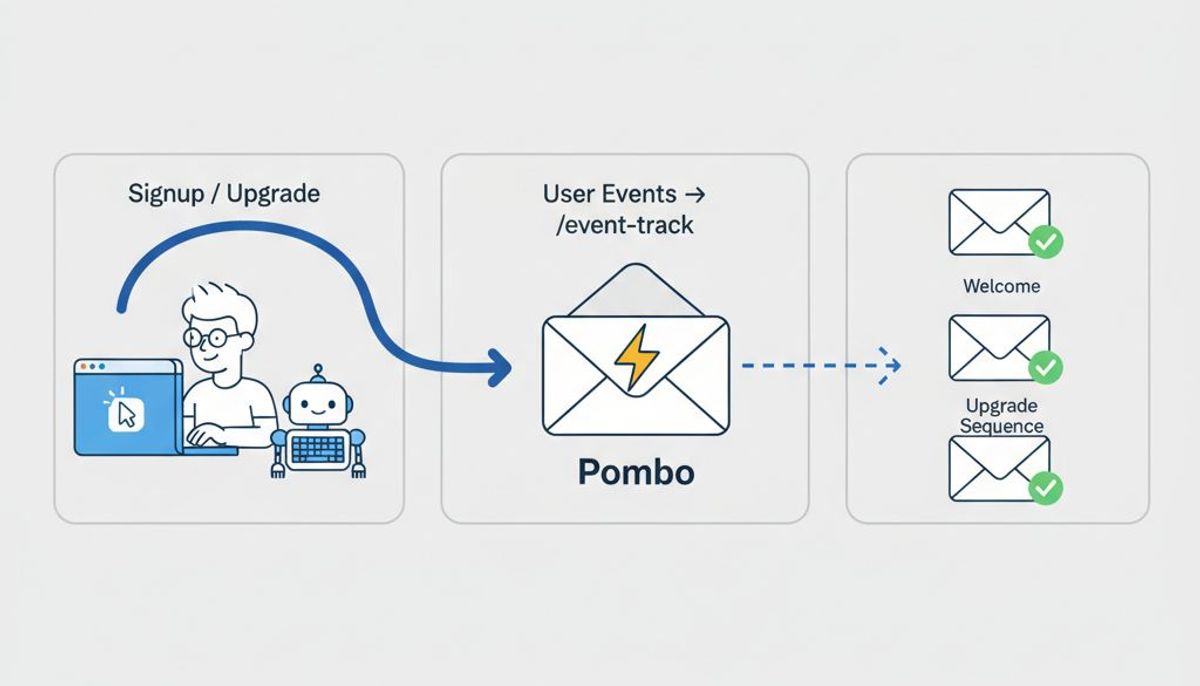
Pombo is built for that last case. You add its MCP server to your client as a remote server, sign in to Pombo and grant access,[7] over OAuth.[7] Sending stays behind account approval, a verified domain and the weekly cap whatever the agent's scope.[7] Through it an agent can manage contacts and segments, write templates, build and validate sequences, set up brand voice and read analytics from Claude, Cursor or ChatGPT. The one thing it cannot do is send or schedule a campaign: that stays a click in Pombo, and unsubscribes are honoured whatever the agent asks for. The full list is on what an agent can do, and there is a walkthrough of an agent sending email over MCP and running it from Claude Code. For the bigger picture, see email marketing from an AI agent.
To try it, connect your agent: add the server to Claude, Cursor or another MCP client, sign in to Pombo and approve access.
Frequently asked questions
Which email marketing MCP servers can build automations?
Of the servers compared, Resend's can create and edit automations, and Pombo's can build and validate sequences. Klaviyo's flows and segments are read-only, and Kit's server does not cover visual automations.
Can an AI agent send email campaigns over MCP?
It depends on the server. Resend's send tools act as soon as they are called, MailerLite and Kit ask for confirmation, and Mailchimp's and Brevo's connectors do not send. In Pombo, an agent cannot send or schedule a campaign; a person does that in Pombo.
How do email MCP servers authenticate?
Hosted servers such as Resend's and Pombo's use OAuth, so you sign in and approve access in a browser. Local servers usually need an API key instead.
Is it safe to install an email MCP server from npm?
Install the vendor's own server from its documentation. In September 2025 a package called postmark-mcp was reported for secretly BCC'ing outgoing email to an attacker.
Sources
- Best Email MCP Server for Email Marketing (2026) - Unspam, Unspam
- 6 Best Email MCP Servers in 2026: Tested and Compared, Mailtrap
- Best Email Marketing MCP Servers (2026): 10 Compared | Audienceful, audienceful.com
- Klaviyo MCP server, developers.klaviyo.com
- MCP Server - Resend, resend.com
- MailerLite MCP Server | MailerLite Developers, developers.mailerlite.com
- Connect an agent | Pombo, flypombo.com